ASML
Virtual Humans
- UX/UI design
- Game design
- Prototyping
- React
Project overview
The client
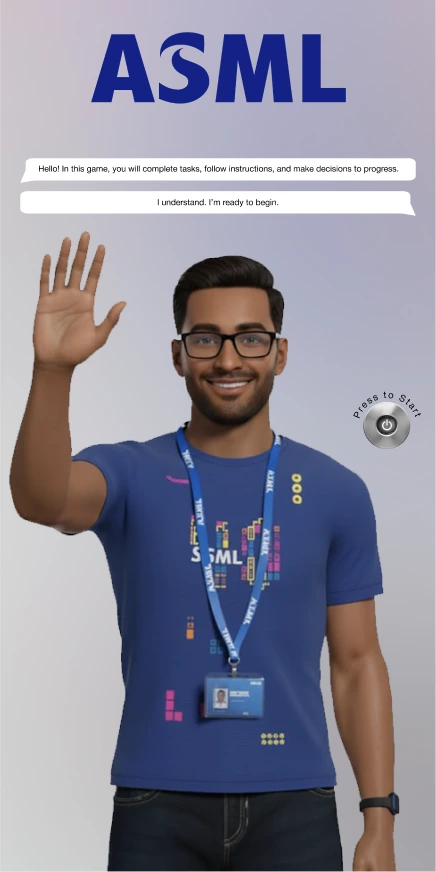
ASML has digital humans on big touchscreens around its campus. Visitors and employees can talk to them and ask questions about the company.
The challenge
Asking questions was the only thing people could do. ASML asked us to make the screens more engaging, so people interact with the digital humans more and for longer.
My role
I was the lead designer in a team of five. I made sure the design looked great and that the project kept going in the right direction. I also designed and coded my own minigame, the Light Source.
The concept
A game where the lithography machine breaks and you fix it. Each of the five minigames stands for one part of the machine, and the digital human explains each part while you play.
From sketch to screen

Wireframes
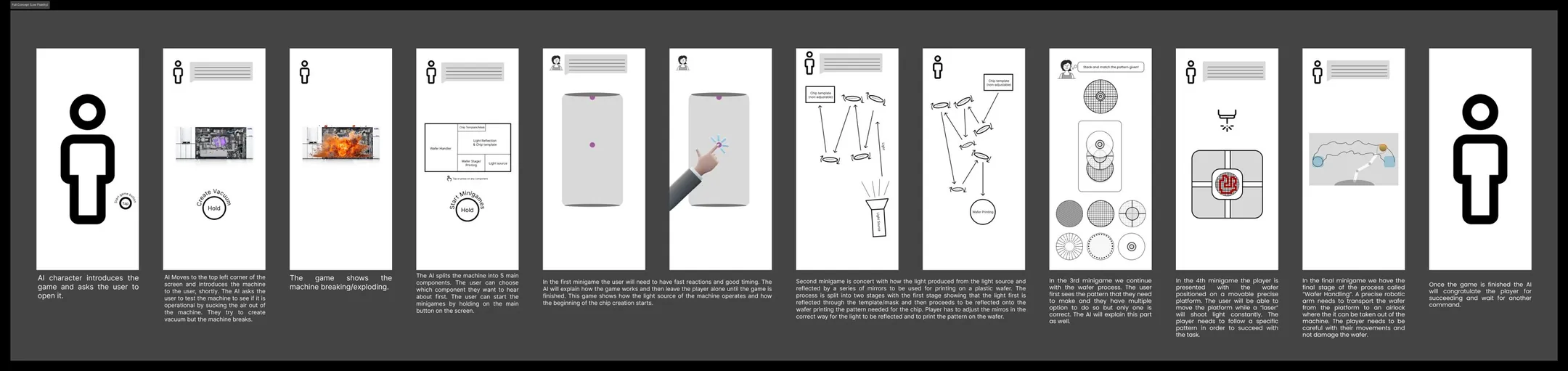
We first mapped the whole game as wireframes: the introduction, the machine breaking, the overview of its parts and the five minigames.
Paper prototypes
Each of us built a paper prototype of their minigame, to test the idea by hand before designing it. Game 1 is mine.
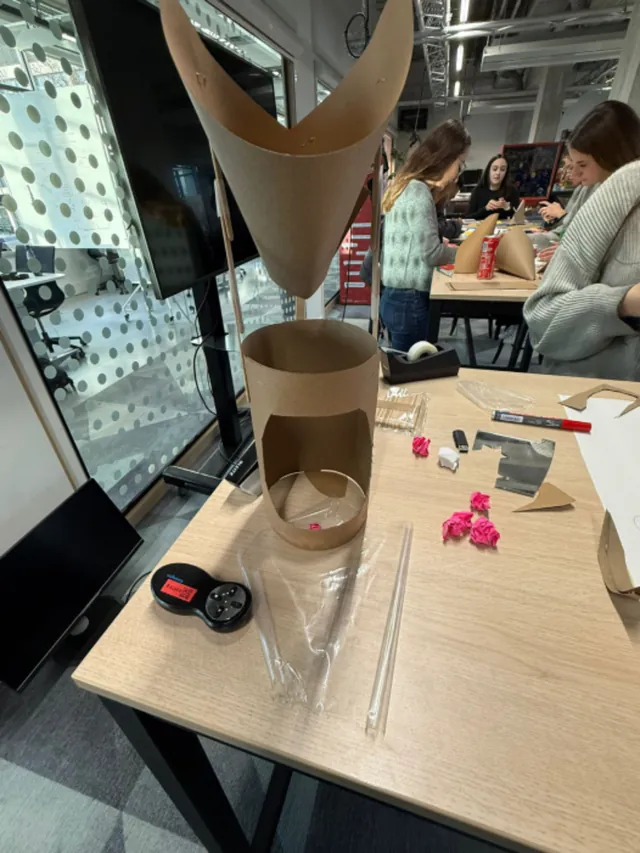
Game 1, Light Source 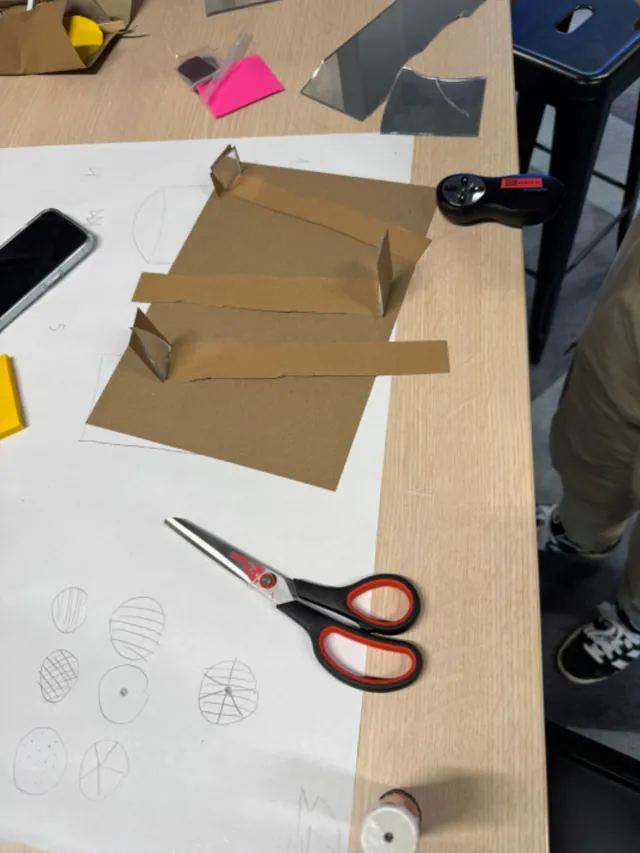
Game 2, Optical System 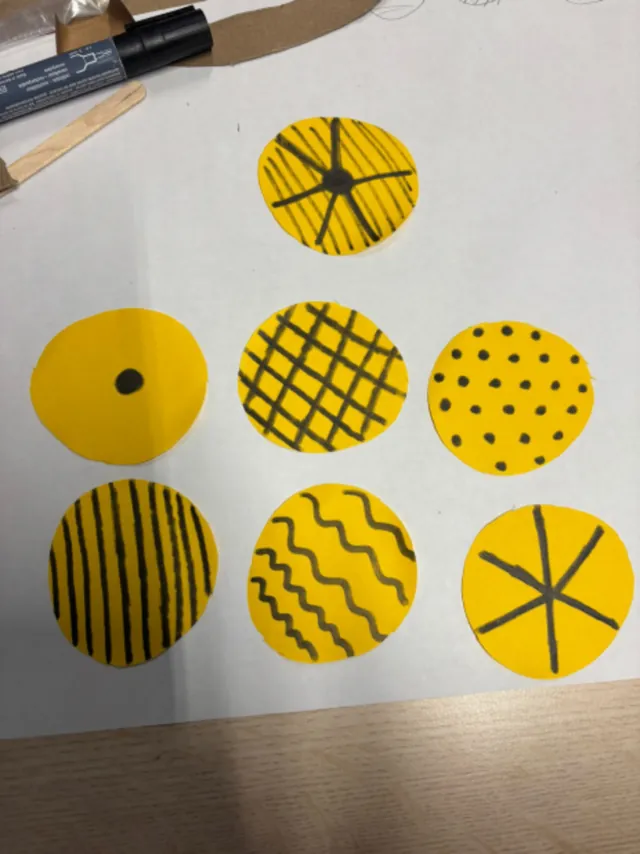
Game 3, Wafer Stage 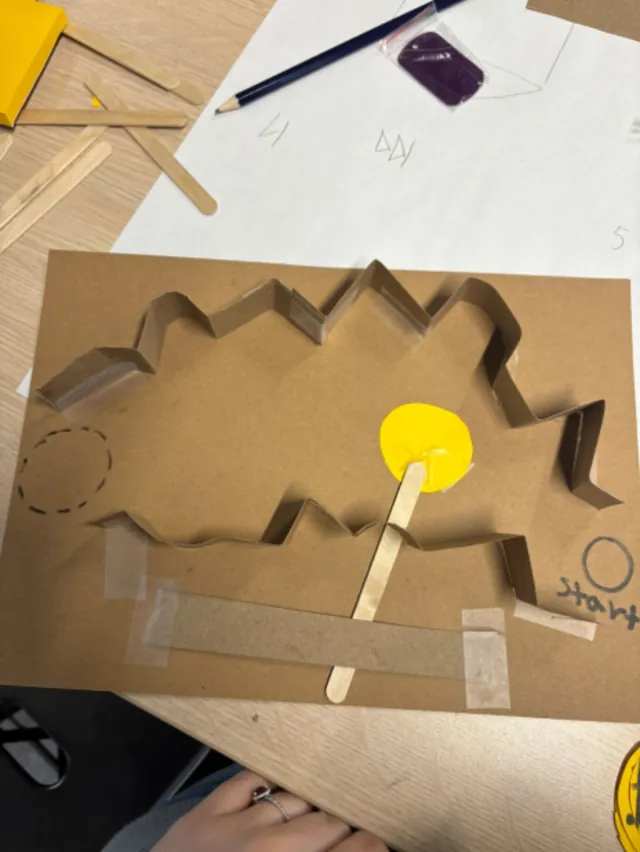
Game 5, Transferring System
High fidelity
Then we designed every screen in one style: a light, clean look with purple light effects, so the five minigames feel like one game.
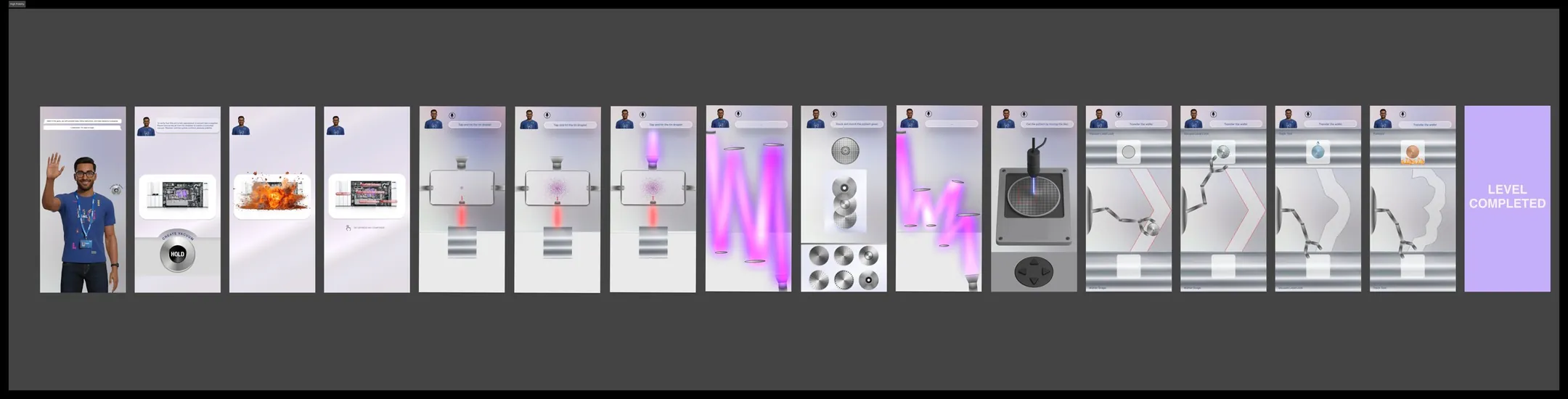
My minigame: Light Source
How it works
In the real machine, a laser hits tiny drops of tin to make extreme ultraviolet light. In my minigame you tap to shoot the laser at the drops. Every hit fills the chamber with plasma, until it glows and makes EUV light.
Designed and coded by me
I built the minigame myself in React. A slider changes the speed of the tin drops and compares it to their real speed inside the machine. When the chamber is full, the level is complete.
The full game
Five minigames, one machine
- 1 Light SourceShoot the tin drops to make EUV light.
- 2 Optical SystemTilt the mirrors to guide the light to the wafer.
- 3 Wafer StageStack three layers to match the chip pattern.
- 4 Reticle StageMove the wafer along the path while the pattern is printed.
- 5 Transferring SystemCarry the wafer safely to the next machines.